
Church finance, connected
Keep the whole financial story in one clear place.
Jade Funds connects giving, expenses, receipts, funds, budgets, reconciliation, and reporting—so your church’s staff and finance team can work from the same picture.
Easy to understand for your whole team. Built with the controls your books need.

One connected workflow
From everyday activity to a trustworthy month-end.
- 1Bring in activity
Connect bank and card accounts, record gifts, or import files.
- 2Add the right context
Attach the receipt, donor, fund, ledger account, or explanation.
- 3Review together
Resolve questions while the people who know the details can help.
- 4Reconcile and close
Confirm the accounts, clear unfinished work, and protect the period.
- 5Use the reports
Understand fund balances, budget progress, and the month’s results.
Inside Jade Funds
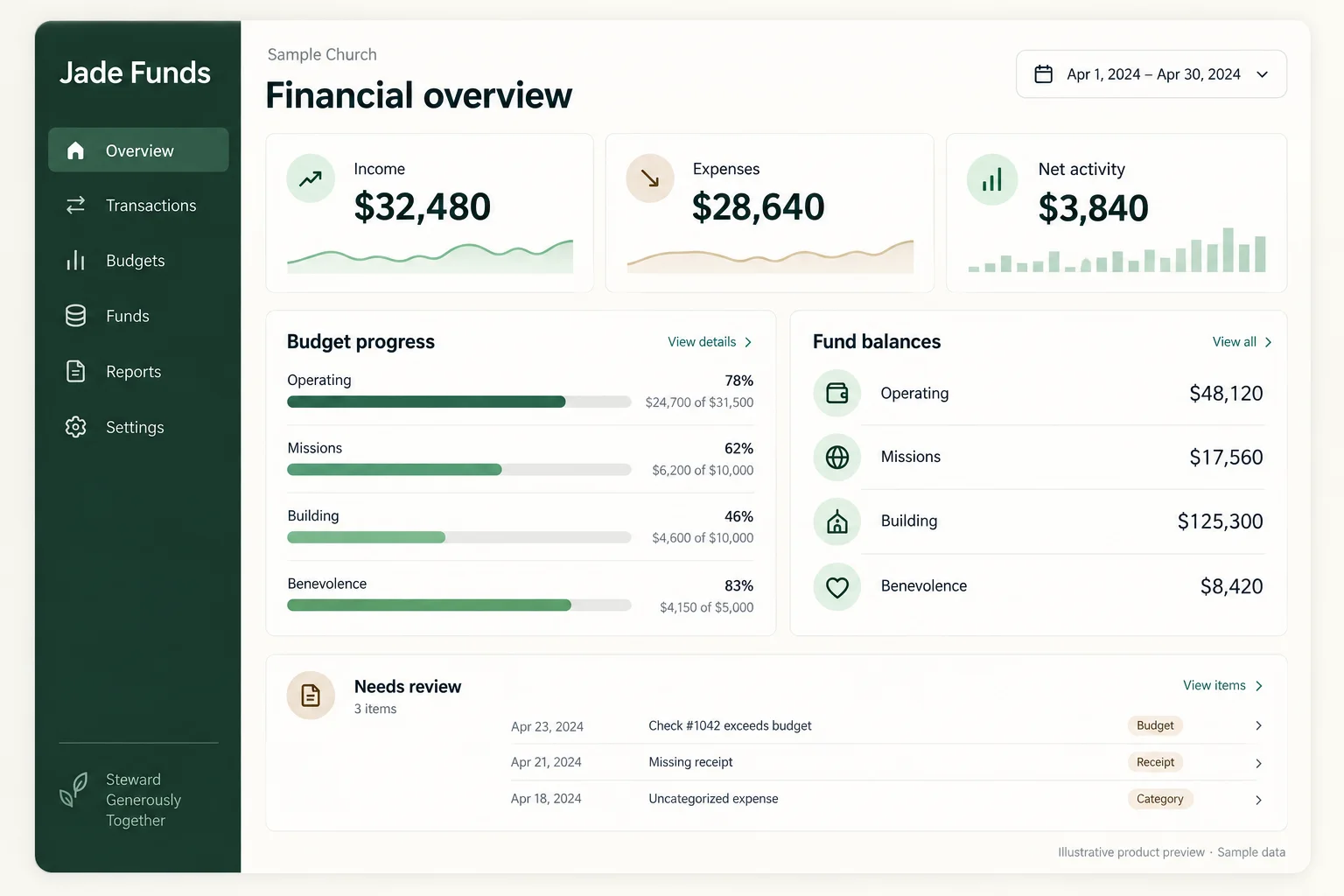
The financial picture, at a glance.
See what came in, what went out, how cash is trending, and what still needs review—without turning the dashboard into another accounting puzzle.
Illustrative product preview based on the current Jade Funds experience. Sample data.
Receipts and expenses
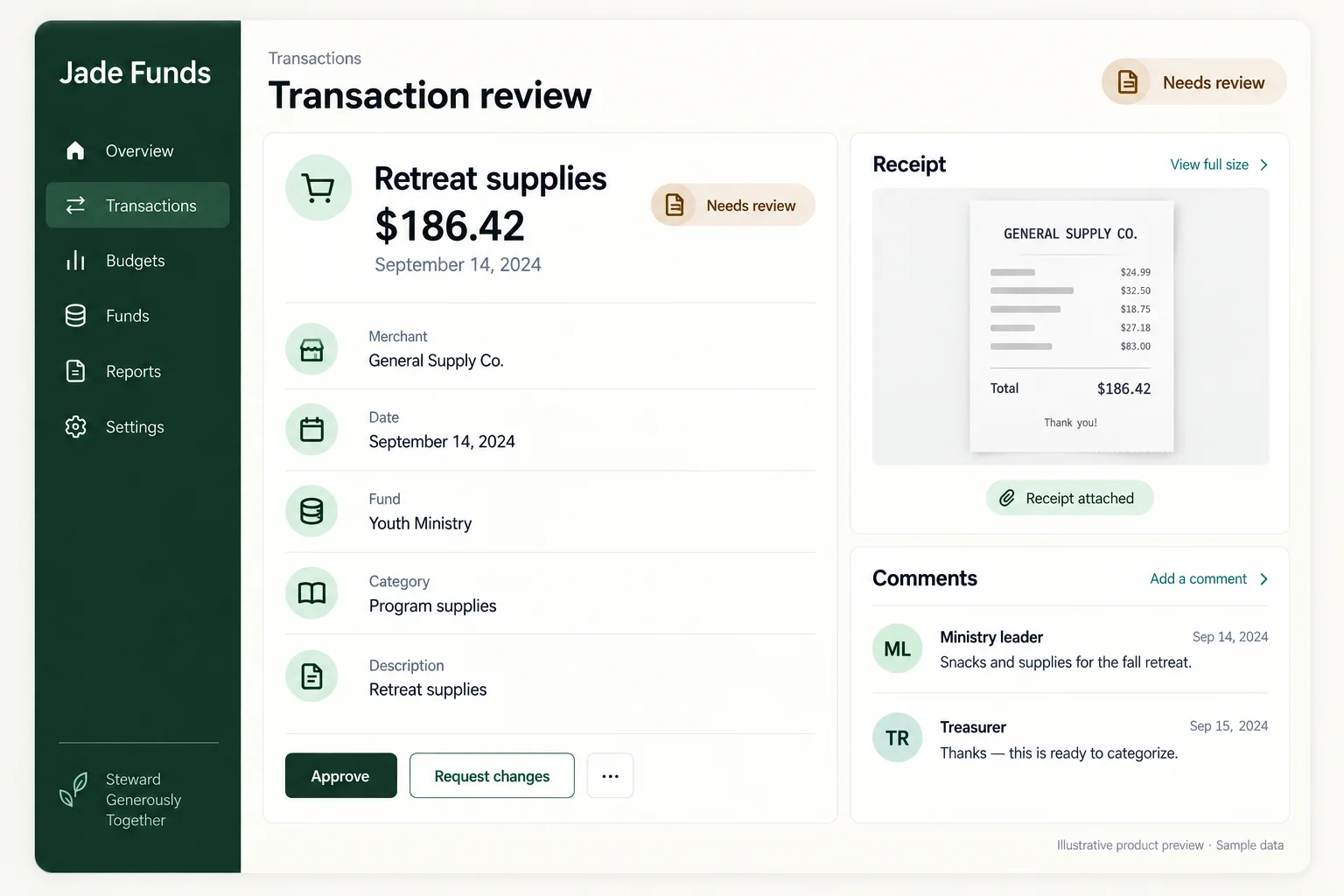
Keep the purchase and its explanation together.
Church purchases happen across staff, ministry leaders, cardholders, and volunteers. The person reviewing the books should not have to chase the story through texts and inboxes.
- Bring in bank and credit-card activity. Connected accounts, file imports, and manual accounts all feed the same workflow.
- Keep the supporting details close. Add receipts, documents, comments, and teammate mentions to the transaction they explain.
- Finish the accounting confidently. Split an expense across ledger accounts and funds, then lock reviewed work from accidental changes.
Funds and budgets
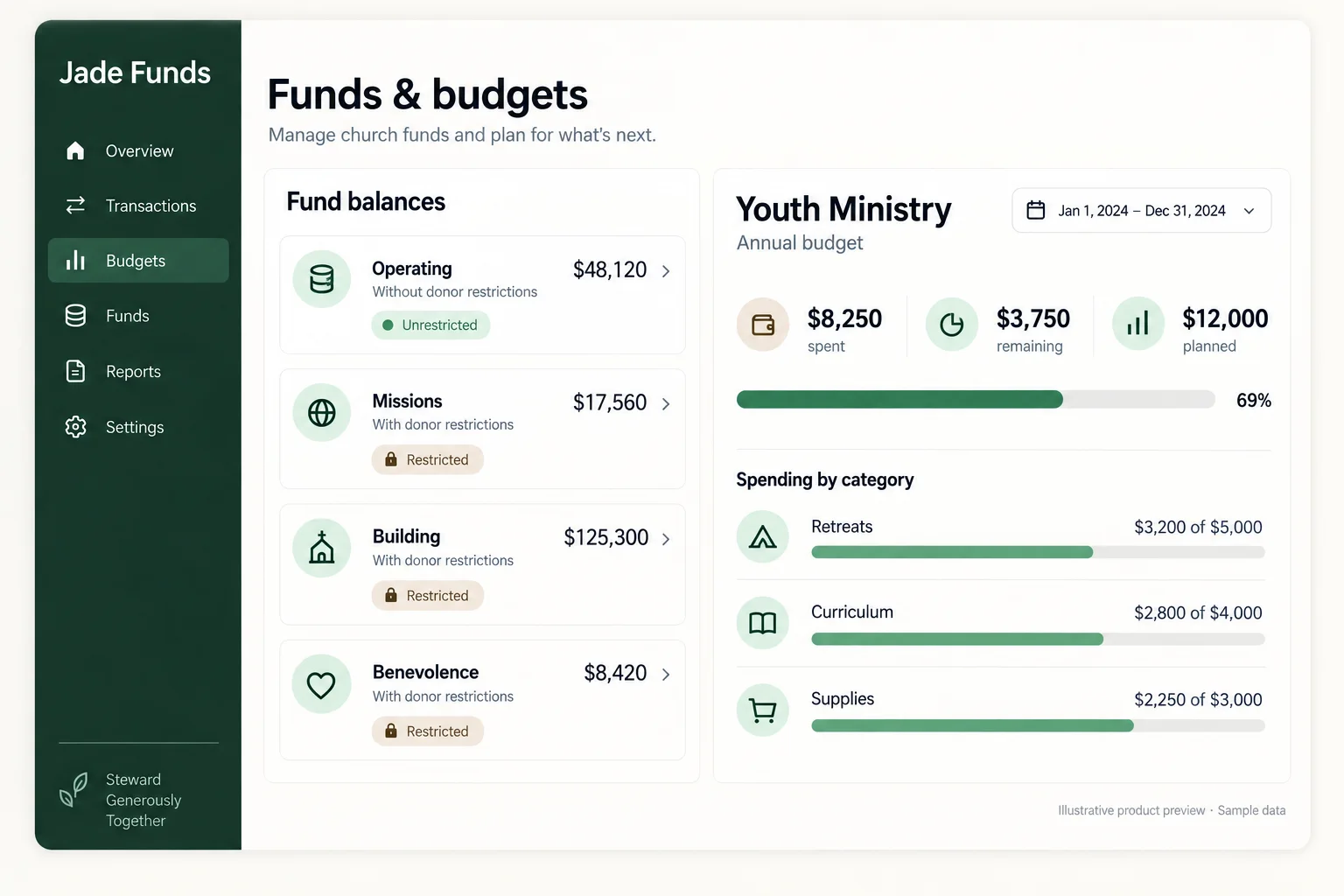
Know what the church has—and what every dollar is for.
A bank balance tells you how much cash is in the account. It does not tell you how much belongs to missions, benevolence, a building project, or general operations. Jade Funds keeps those purposes in the ledger and connects them to the ministry plan.
True fund accounting
Track unrestricted, temporarily restricted, and permanently restricted funds. Reviewed activity stays balanced within each fund, and transfers between funds remain explicit.
Church budgeting
Build annual and monthly budgets, compare planning scenarios, use assumptions and formulas, and see actual activity against the approved plan.
Useful visibility
Give people access based on their responsibilities, including program- or ministry-scoped visibility, without opening the entire financial system.
Giving · Payments · Coming soon
Collect payments for camps, events, daycare, and more.
Coming soon: Payments is being prepared for release. Payment collection is not yet available.
Manage registrations, invoices, deposits, and remaining balances within Giving. Give families a simple way to register, pay, and return when another payment is due.
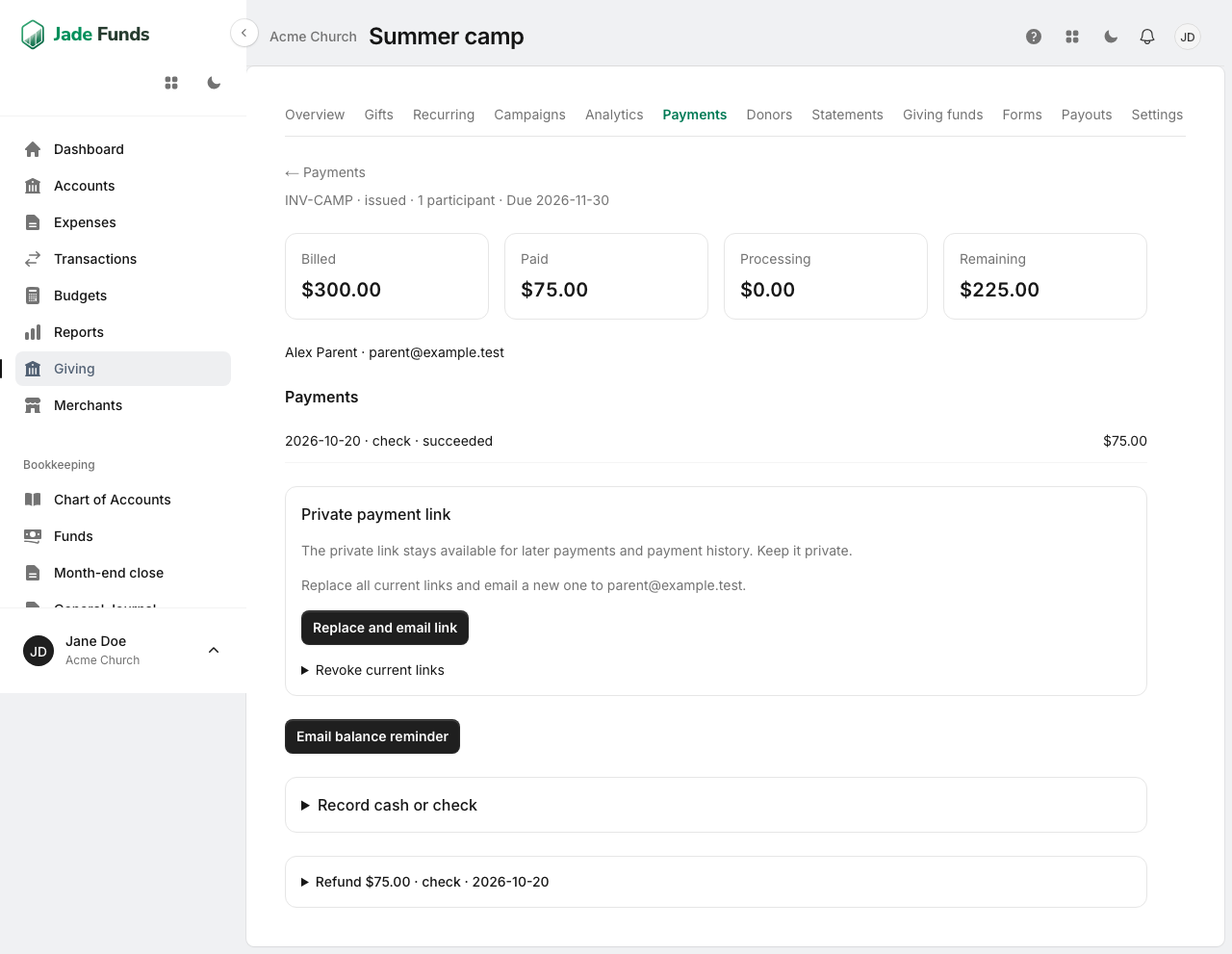
What Payments will let your team do
- Share registration pages with participant pricing and custom questions.
- Email individual invoices with full payment or an optional deposit.
- Let payers make additional payments toward their remaining balance.
- Give each payer a unique private invoice link for payments and payment history. Links stay available without automatic expiration, and staff can revoke or replace them when needed.
- Offer eligible card and bank payment methods through Stripe when enabled.
- Record cash and check payments alongside online payments.
- Track paid, processing, refunded, outstanding, and overdue amounts.
- Send payment receipts and staff-triggered balance reminders.
- Keep program and event payments separate from donations, donor analytics, and contribution statements.
Payments questions, answered.
Do families need an account?
No. Payers access their invoice through a private link emailed to them.
Can someone pay a deposit and finish paying later?
Yes. When a deposit is offered, payers can pay the deposit or more, then return to make additional payments.
Does the payment link expire?
Private invoice links do not automatically expire. Staff can revoke or replace them.
Are installments charged automatically?
No. Payers choose when to submit each payment.
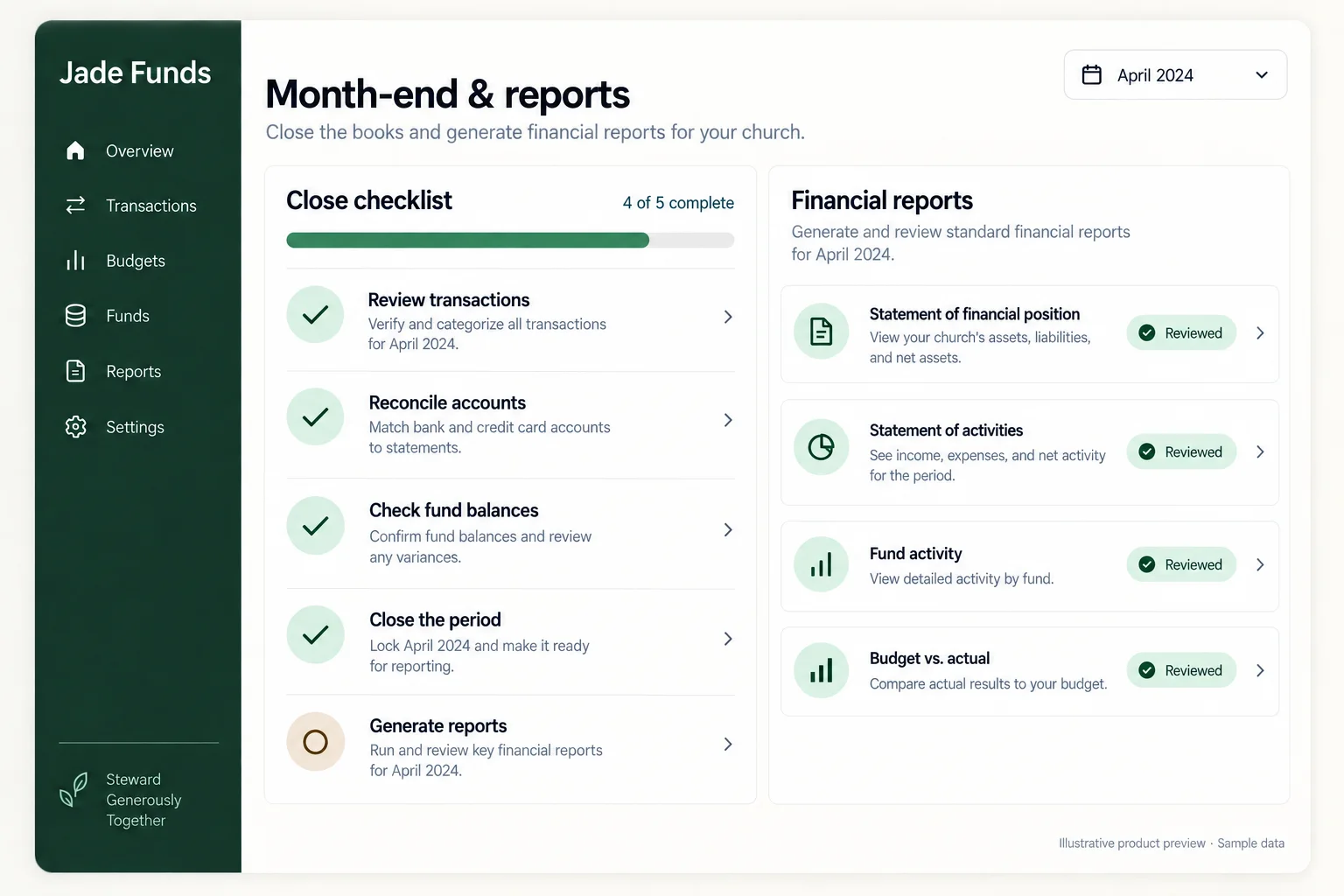
Month-end close
Replace scattered spreadsheets with a repeatable close.
See what still needs review, reconcile each financial account, check whether the books are ready, and lock the completed period. If a month must be reopened later, Jade Funds keeps the explanation and history.
Leadership reporting
Give leaders a financial picture they can use.
Use reviewed ledger activity to understand fund balances, fund activity, financial position, income and expenses, functional expenses, and budget versus actual results.
Form 990 mappings are available in the chart of accounts. Report detail and periods stay connected to the underlying books.
All features, at a glance.
A quick guide to what you can do with JadeFunds.
Giving and Payments
Record gifts and keep donor information connected to financial activity, so your team can trace contributions in the books. Coming soon: collect camp, event, and program payments separately from donations. Explore Payments.
Staff accounts and permissions
Give staff, treasurers, and ministry leaders their own access based on their responsibilities. Limit visibility to the programs or ministries they work with. Explore staff access and expense reports.
Approvals and transaction review
Review spending and its supporting details before marking the work complete. Lock reviewed transactions to help prevent accidental changes.
Notes and conversations
Add explanations, ask questions, and mention teammates directly on a transaction. Keep the conversation with the financial record it belongs to.
Notifications
Keep teammates informed when financial work needs their attention, so questions and follow-up work are easier to find.
Receipts and documents
Attach receipts and supporting documents directly to a transaction so the purchase and its explanation stay together.
Fund accounting
Track operating, designated, and restricted funds separately. See what each balance is for and record transfers between funds.
Budgets and planning
Build annual and monthly budgets, compare scenarios using assumptions and formulas, and track actual income and spending against the approved plan.
Financial overview
See income, expenses, cash trends, budget progress, and fund balances. Find financial work that still needs attention.
Setup and personal support
Get help mapping funds and accounts, understanding your workflow, and learning the system. We can also help new or incoming treasurers get oriented.
Bank and card accounts
Connect bank and credit-card accounts to bring activity into JadeFunds. You can also import files or manage accounts manually.
Transaction management
Categorize income and expenses, assign funds, and split transactions across accounts or ministries. Search and filter activity to find the details you need.
Bookkeeping
Record manual transactions, journal entries, opening balances, and check numbers. Use categorization rules and merchant cleanup to organize recurring activity.
Account reconciliation
Reconcile each financial account and resolve differences before closing the month.
Month-end close
Review unfinished work, check whether the books are ready, and lock completed periods. Keep an explanation and history when a period needs to be reopened.
Financial reports
Prepare fund balances, fund activity, income and expenses, financial position, functional expense, and budget-versus-actual reports. Form 990 mappings in the chart of accounts help organize accounts for reporting.
Data imports and exports
Import accounts, funds, budgets, merchants, and transactions. Export accounting data, receipts, and documents when you need them.
Support for the transition
Software for the books. People for the transition.
We can learn how your church works today, help map funds and ledger accounts, provide QuickBooks migration guidance, and help new or incoming treasurers understand the setup.
You do not have to figure out the move alone. Start by showing us the workflow you already have.
Talk Through Your Church’s WorkflowA clearer next step
Let’s talk about how your church handles the work today.
Show us how giving, expenses, funds, budgets, and reporting fit together at your church. We’ll help you understand where Jade Funds fits.