
Budgets & reports
Why is a transaction missing from a report?
On this page
Seeing a purchase in the transaction list does not always mean it has completed the bookkeeping needed for a financial report.
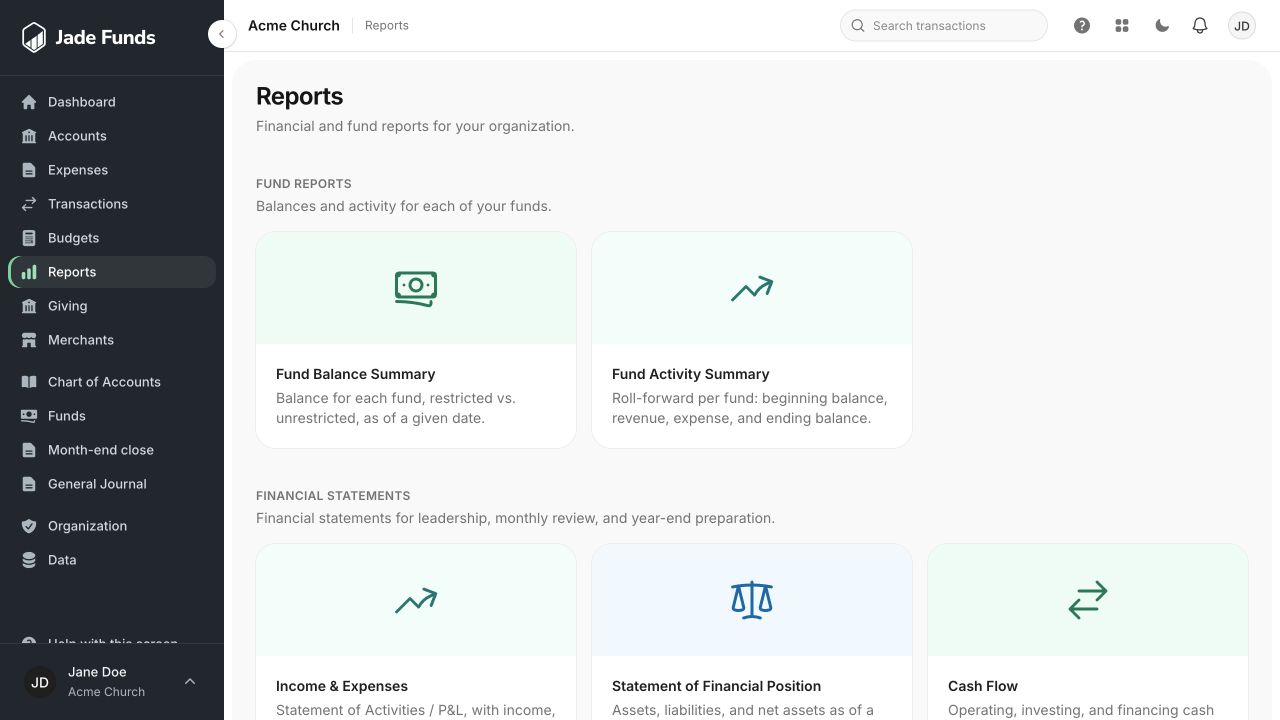
1. Fund Balance Summary answers how much is in each fund at a date.
2. Fund Activity Summary explains changes during a period.
3. Income & Expenses summarizes financial activity for leadership review.
Check in this order
- Find the transaction and check its review status. Imported or unreviewed activity may still need categories and funds.
- Check the transaction date against the report’s range or as-of date.
- Check the category. An entry assigned to a balance-sheet category will not appear as an ordinary expense.
- Check the fund and report filters.
- Confirm that you are in the correct organization.
- Ask an administrator whether your permissions or program access exclude the activity.
Budget comparisons need a plan
Check the published budget and selected reporting months. An annual remaining figure and a period variance are different comparisons. See Compare a budget with actual activity.
Bank balance is not report activity
A provider’s current balance is an observation from the bank. Financial reports use reviewed ledger postings; requesting a bank refresh does not categorize or review an entry.
If you find a mistake
Use the normal transaction correction workflow. Do not add a duplicate entry solely to make it appear in a report. See Correct a reviewed transaction.
Was this article helpful?
Still need a hand?
Tell us what you were trying to do and what happened. Leave passwords and bank login details out of your message.
Contact Jade Funds support