
Funds & bookkeeping
Work through month-end close
On this page
Month-end close is a guided way to finish a calendar month and protect its reviewed financial records. Work in order, starting with the oldest unfinished month.
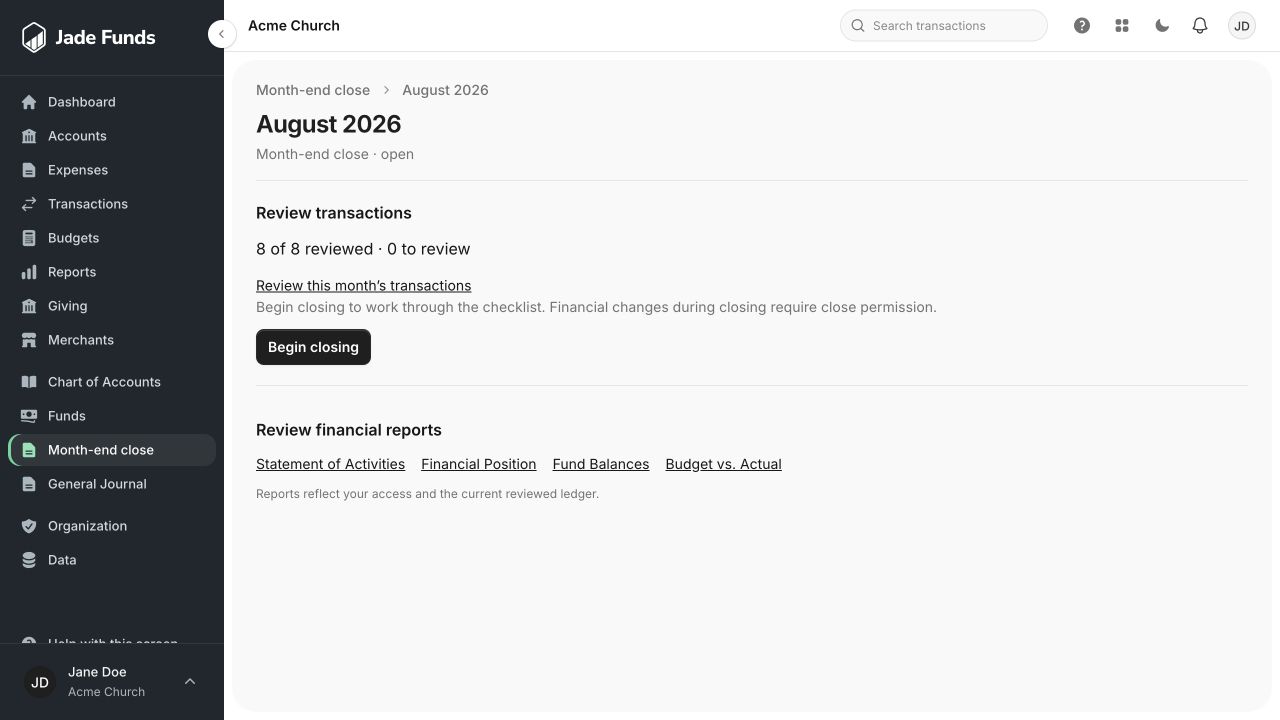
1. Review this month’s transactions opens activity for the month.
2. Begin closing starts the close workflow when your access permits it.
3. Review the financial reports for the same month before completing close.
Before you begin
The month must have ended. You need close permission, access to the relevant financial accounts, and the statements or dated bank evidence needed for reconciliation. Prior activity months must be closed first.
Close the month
- Open Bookkeeping → Month-end close and select the month.
- Choose Begin closing. Financial changes during closing require close permission.
- Review the remaining transactions and resolve any incomplete allocations.
- Reconcile each eligible financial account against its bank evidence or statement balance.
- Resolve bank-change issues and other readiness items shown in the workspace.
- Check the month’s financial reports.
- Choose Close month when the readiness checks are satisfied, then confirm.
Accounts you cannot see
Close readiness considers the organization’s eligible accounts, including accounts hidden from your view. Ask a colleague with the required access to finish their work; a hidden account does not stop needing reconciliation.
After closing
Reviewed postings and reconciliation records are protected. Corrections use Reopen month with a recorded reason. Adding context in a comment is different from changing ledger amounts.
Was this article helpful?
Still need a hand?
Tell us what you were trying to do and what happened. Leave passwords and bank login details out of your message.
Contact Jade Funds support